

*2 mins read
Business Cards Sizes & Dimensions: The Complete Printing Guide (Inches, mm & Pixels)
Publish Date
May 07, 2026
Written by
Emily Chris Kieran
People miss a surprising fact; business card sizes have stayed the same. Cards from the Victorian era look like the ones we use today. This is not an accident; it is about pure, simple, practical logic. Business cards are valued to compliment your branding and leave an indelible mark on the prospects. When you look for standard business card sizes these are 3.5 x 2 inches (88.9 x 50.8 mm) , the most standard one in the United States.
These dimensions fit perfectly in hands, wallets, and card holders every time. Even after all these years, sizing is where most printing projects fail. Text gets cut off; white edges appear; and logos often look off-center. Usually, the design is fine, but the file size is actually wrong. This guide gives you every spec you need for your artwork files. You will find the precise measurements here in inches, millimeters, and pixels.
What Is the Standard Business Card Size?
.webp?alt=media&token=9bcc938a-460f-464e-ad88-93e082351408 "business-card-template-size")
The most widely recognized answer to "what size is a business card" in the United States and Canada is:
3.5 inches × 2.0 inches (88.9 mm × 50.8 mm, or 8.9 cm × 5.1 cm)
The standard size in the United States and Canada is very simple. It measures up to 3.5 inches by 2.0 inches for the finished card. This is the trimmed size people hold in their hands every day. It fits every wallet and cardholder without bending or causing a mess. This specific size became the standard because it feels right to hold. It mirrors the size of a credit card; this is quite intentional. You can get to know significance of standard business card sizes through this post as we uncover size of business cards and how you should be ordering each. .
While when we tend to discuss credit cards they are 3.37 inches by 2.125 inches; they are very similar. The similarity is intentional; both formats evolved around the same wallet infrastructure.
Business Card Dimensions: The Full Reference Table
The table below covers every key measurement including pixel dimensions that most guides leave out so your design file is set up correctly from the very first canvas.
Format | Inches (W × H) | Millimeters (W × H) | Centimeters (W × H) | Pixels @ 300 DPI (W × H) |
US / Canada Standard | 3.5" × 2.0" | 88.9 × 50.8 mm | 8.9 × 5.1 cm | 1,050 × 600 px |
US with Full Bleed | 3.75" × 2.25" | 95.25 × 57.15 mm | 9.5 × 5.7 cm | 1,125 × 675 px |
UK / EU Standard | 3.35" × 2.17" | 85 × 55 mm | 8.5 × 5.5 cm | 1,004 × 650 px |
Japan (Meishi) | 3.58" × 2.17" | 91 × 55 mm | 9.1 × 5.5 cm | 1,075 × 650 px |
China / Hong Kong / Singapore | 3.54" × 2.13" | 90 × 54 mm | 9.0 × 5.4 cm | 1,063 × 638 px |
Square Card | 2.5" × 2.5" | 63.5 × 63.5 mm | 6.35 × 6.35 cm | 750 × 750 px |
Slim / Mini Card | 3.5" × 1.75" | 88.9 × 44.5 mm | 8.9 × 4.45 cm | 1,050 × 525 px |
Folded Business Card | 3.5" × 4.0" (open) | 88.9 × 101.6 mm | 8.9 × 10.2 cm | 1,050 × 1,200 px |
A Quick Note on Pixels and DPI
Let's talk about pixels. Every single pixel measurement we use assumes 300 DPI. That is the commercial print standard for a crisp, sharp finish. Whenever you design your files at 96 DPI, you design it for a computer screen. Once printed on paper, your cards will be kind of giving blurry and cheap look. Always design at 300 DPI to keep your branding looking pristine.
Global Business Card Sizes Matter
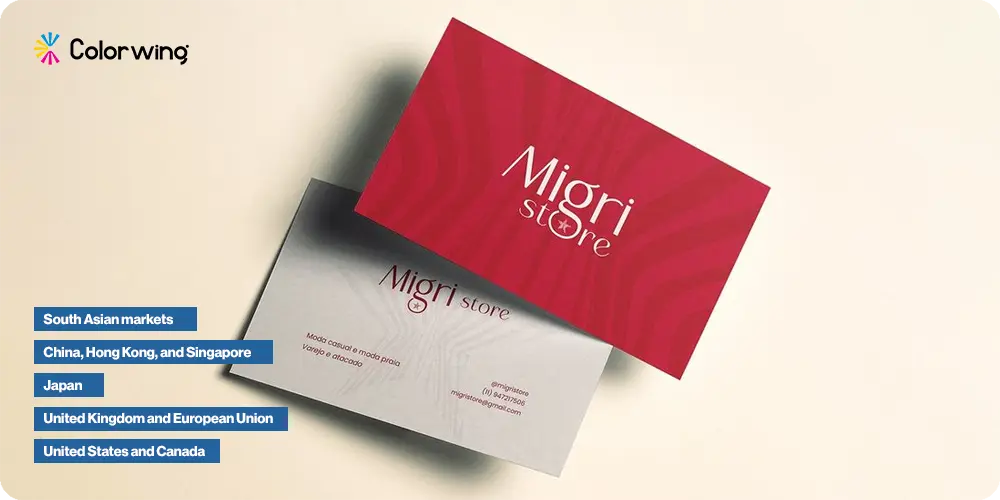
Are you working with international clients? Keep in mind that card sizes change depending on the region. A standard North American business card won't fit right in a Japanese card holder. It will stick out awkwardly. Those tiny details completely change how people see your business. Going with the correct local size shows real attention to detail.
United States and Canada
3.5" × 2.0" (88.9 × 50.8 mm). The universal default for business cards sizes printing in North America. Every major US printer including national chains uses this as their standard template.
United Kingdom and European Union
85 × 55 mm (approximately 3.35" × 2.17"). Marginally shorter and slightly taller than the US format, designed to fit EU-standard wallet card slots. If your customer base is largely European, printing to this size feels "right" in their hands and in their wallets.
Japan
91 × 55 mm (approximately 3.58" × 2.17"). The Japanese meishi card carries deep cultural significance. Presentation etiquette offering with both hands, reading before storing is as important as the card's content. The slightly wider format is universally expected at business meetings in Japan.
China, Hong Kong, and Singapore
90 × 54 mm (approximately 3.54" × 2.13"). Very close to the US standard of business cards, making dual-market printing relatively straightforward.
South Asian markets
The term "visiting card" is the common reference across India, Pakistan, Bangladesh, and surrounding countries. The size of a visiting card in these markets typically mirrors the 3.5" × 2.0" US standard, though local print shops sometimes vary slightly. When ordering visiting cards for South Asian distribution, confirming dimensions with your printer is always a smart move.
Bleed, Trim, and Safe Zone: Why Business Card Measurements Go Beyond the Final Size
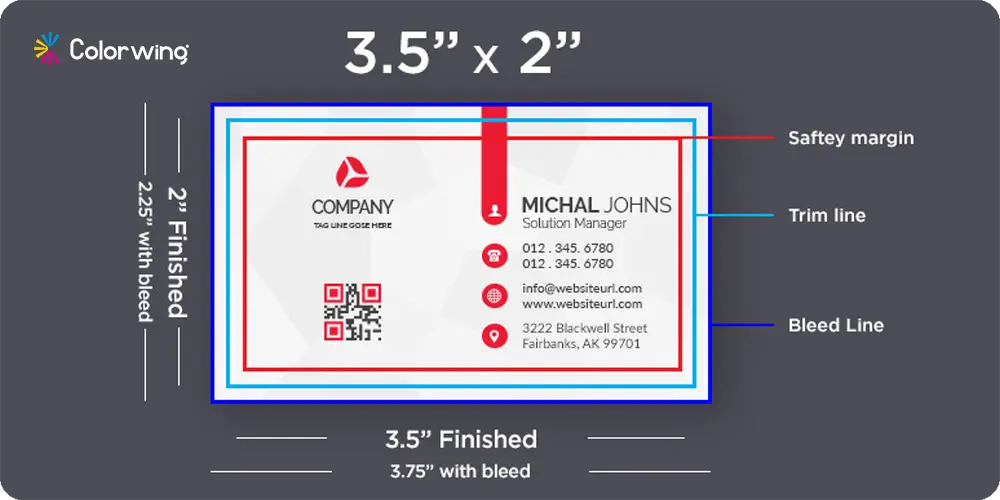
Most people think of the finished look when asking for card sizes. Your print file must have extra room to look truly professional now. Missing these three zones is where clean designs can often go wrong. There are pearl business cards options too that go beyond the ordinary frilling, fragile cards yet soft to touch int texture.
Shop exclusive horizontal and vertical business card designs. Make a striking impression with custom business card sizes and premium business card printing from bespoke ColorWing layouts, or upload your own artwork.
Trim Size is the finished card dimension after the final cut happens. For US standard cards, this measures exactly 3.5 inches by 2.0 inches. This is your final size, but the design file must be larger.
Bleed Area is the extra artwork that extends past the final trim line. Machines cut cards in stacks and they might shift a tiny bit. Extra background prevents white slivers from appearing at the card edges now. Your full canvas size should be 3.75 inches by 2.25 inches total. You should extend all colors and patterns to this very outer edge.
Safe Zone is the inner boundary for your most critical brand content. Please keep your name, phone number, and logo inside this specific area. This protects your details from being clipped during the final cutting process. Place all important elements 0.125 inches away from the final trim line.
For a US card, the practical safe zone is approximately 3.25" × 1.75" (82.55 × 44.45 mm), centered on the canvas.
Business Card Shapes and Format Options Beyond the Standard Rectangle
The format of business cards has expanded considerably. Standard rectangles remain the dominant choice for good reason they fit every holder, every wallet, and every expectation. But there are now widely available format variations that let you stand out without sacrificing practicality. Our custom business cards are also complemented by custom business stickers that showcase luxury.
Zone | US Standard Dimension | Description |
Safe Zone | 3.25" × 1.75" | All text and logos must stay inside |
Trim Line | 3.5" × 2.0" | Final card size after cutting |
Bleed Edge | 3.75" × 2.25" | Full file canvas including bleed |
Standard Rectangle
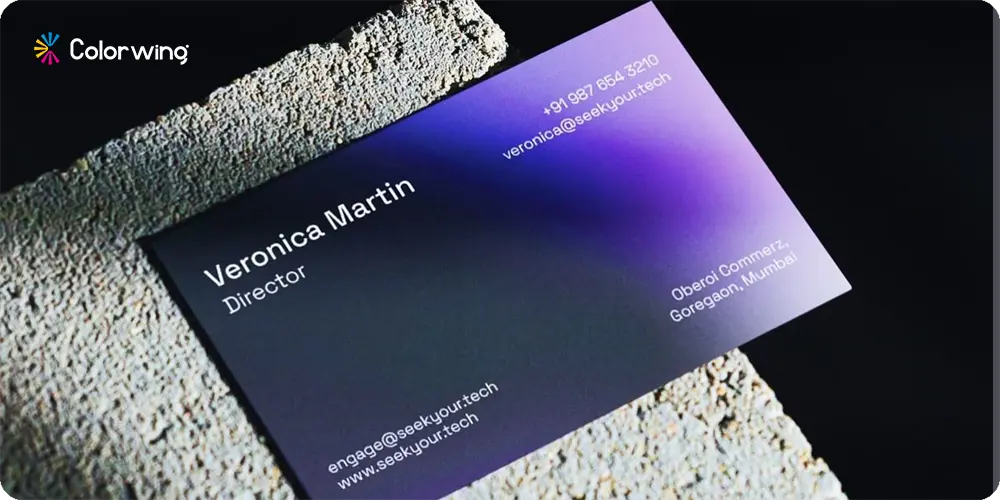
3.5" × 2.0" (US) or 85 × 55 mm (EU). Horizontal orientation is the default. Vertical orientation uses the same business card dimensions rotated 90 degrees, a subtle choice that reads as distinctive without creating any storage problems.
Rounded Corner Business Cards
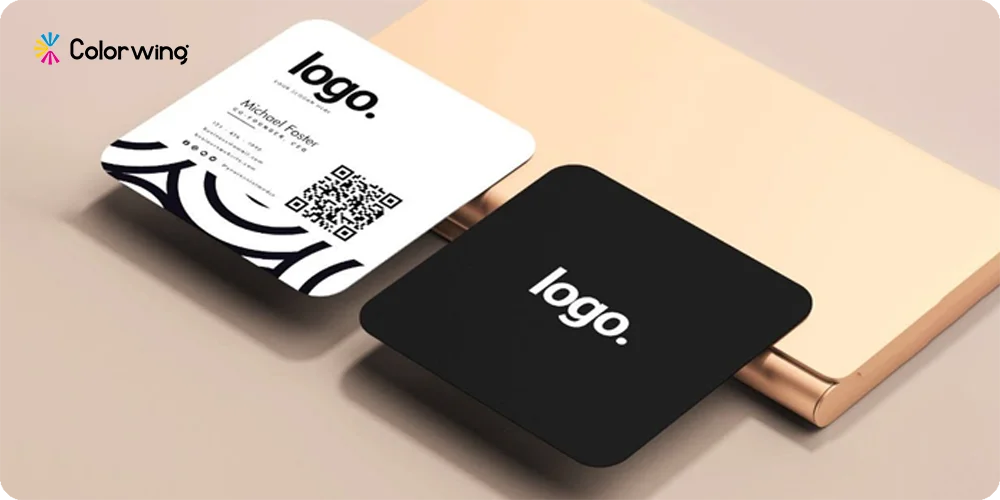
Identical in size to the standard 3.5" × 2.0" card. The only distinction is a die-cut radius at each corner, typically 1/8" or 1/4". Rounded corners soften the visual impression of a card and are popular in creative industries, wellness brands, and hospitality. The file setup requirements bleed, trim, safe zone are identical to straight-corner cards.
Square Business Cards
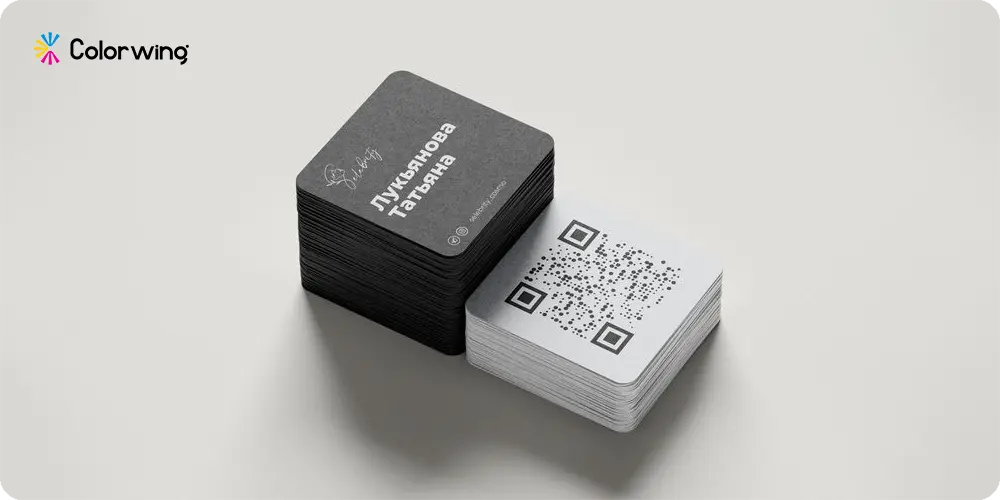
2.5" × 2.5" (63.5 × 63.5 mm). Square cards create an immediate visual pause when someone picks them up from a stack of rectangles. They work especially well for brands where a logo or product image should take center stage. The drawback is practical: square cards do not fit every standard cardholder or wallet slot, so they are better suited as a secondary or complementary card size alongside a standard format.
Slim or Mini Business Cards
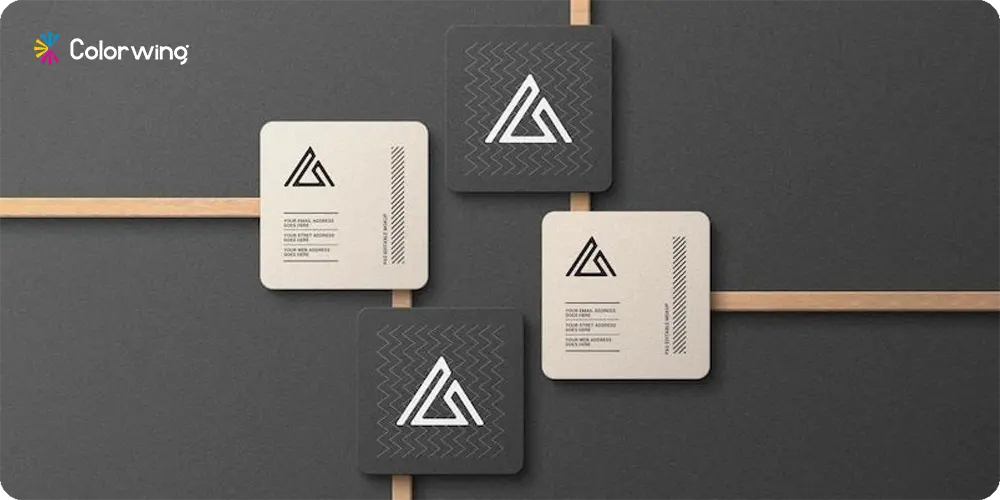
Approximately 3.5" × 1.75" (88.9 × 44.5 mm). Slim cards have a niche appeal they feel modern and minimal, and work well for loyalty cards, appointment reminders, and brands with very simple contact information. They are not a strong choice when you have significant content to communicate, since the reduced height limits layout flexibility considerably.
Folded Business Cards
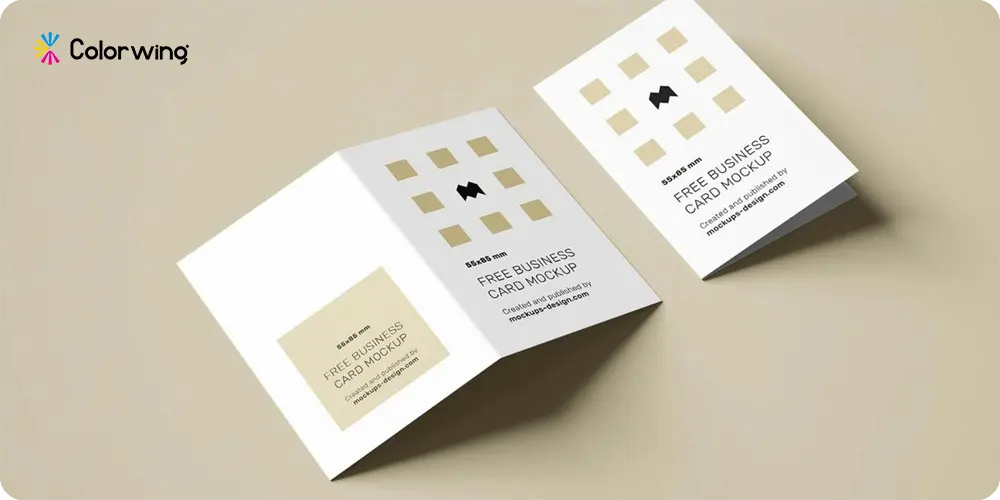
Opened flat: approximately 3.5" × 4.0" (88.9 × 101.6 mm), folding to a finished 3.5" × 2.0" card. This big card size format in its open state gives you roughly four times the print surface of a standard card useful for service menus, portfolio samples, appointment information, or mini brochures. At ColorWing, folded business cards are one of the most underutilized formats for brands that need more storytelling space without going oversized.
Die-Cut Custom Shapes
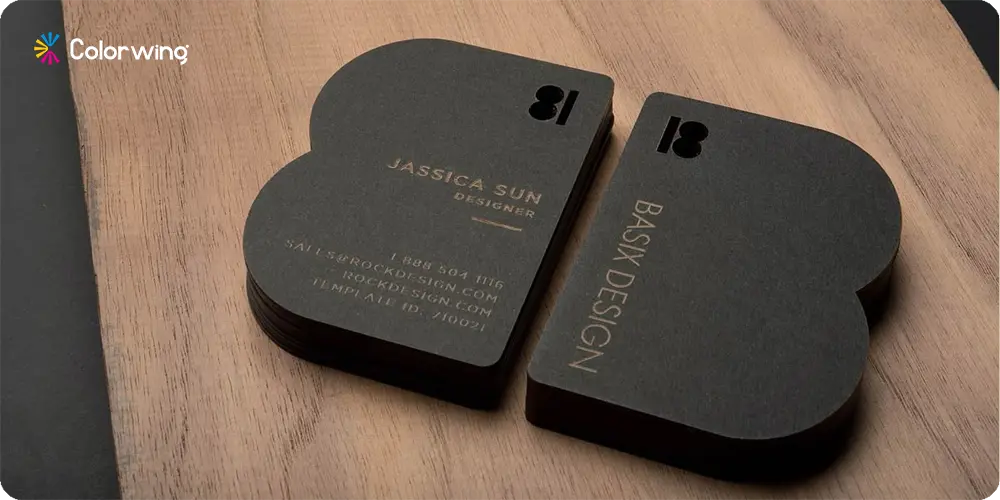
Circles (typically 2.5" diameter), leaf shapes, oval cuts likely called oval business cards, and fully custom silhouettes. These are the highest-impact format of business cards and the highest cost per unit. They make a strong impression but require the most careful design consideration, since unusual shapes reduce the available print area significantly.
Business Card Paper Thickness: The Dimension Most Guides Skip
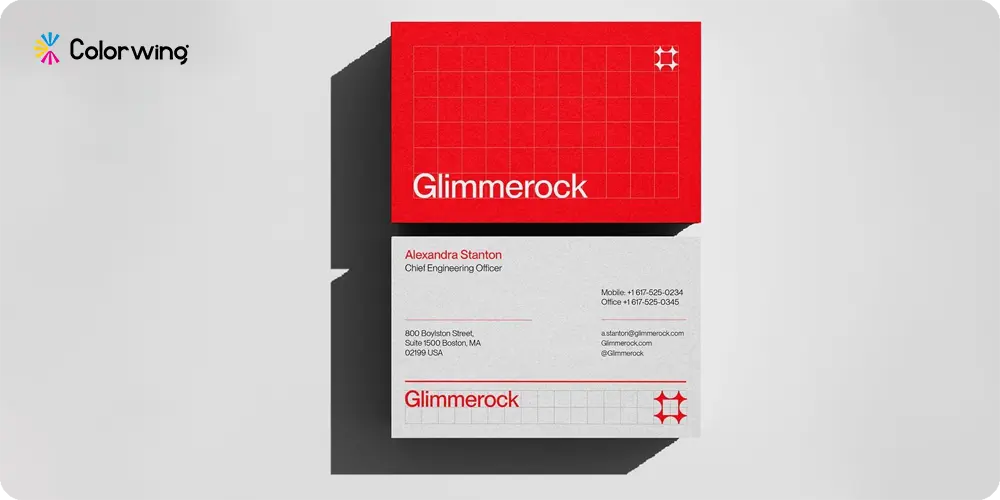
Business card dimensions are not only about width and height. The thickness of the card stock measured in points (pt) affects how the card feels and how it communicates quality at the moment of exchange.
At ColorWing, we recommend 16 pt as the starting point for most professional applications. If your brand positioning is premium or luxury, 32 pt ultra-thick cards make the handoff feel like a deliberate brand statement not just an information transfer.
Paper Weight | Thickness | Feel in Hand | Best Use |
14 pt | 0.014" | Standard, slightly flexible | Budget-conscious runs, high-volume events |
16 pt | 0.016" | Sturdy, professional | Most business and corporate applications |
17 pt | 0.017" | Premium, rigid | Executive cards, luxury brands |
32 pt (Ultra Thick) | 0.032" | Exceptional, furniture-grade | VIP contacts, tactile branding statements |
Industry-Specific Size Recommendations
One detail that most business card size guides overlook entirely: the optimal format and dimensions vary meaningfully by industry. Business card sizes vary primarily due to regional standards, specifically the difference between imperial and metric systems, and cultural variations in networking.
Beyond that, many brands choose unique dimensions for branded marketing to ensure they stand out in a stack. What reads as authoritative in finance looks stiff in creative services. There can be several finishes applied and there are options like glossy business cards popular for their prominence.
Industry | Recommended Size | Notes |
Legal, Finance, Insurance | 3.5" × 2.0" standard | Conventional format signals stability |
Creative, Design, Photography | Square 2.5" × 2.5" or vertical 2.0" × 3.5" | Unusual format reflects creative identity |
Real Estate | 3.5" × 2.0" with back-side property photo | Full double-sided with property imagery is standard |
Healthcare / Wellness | Rounded corner 3.5" × 2.0" | Softer edges align with approachable, caring branding |
Hospitality / Food & Beverage | Folded 3.5" × 4.0" | Foldout doubles as a mini menu or offer card |
Tech / SaaS | Standard + QR code | 3.5" × 2.0" with embedded QR linking to digital portfolio |
File Setup for Business Cards Printing: The Technical Checklist
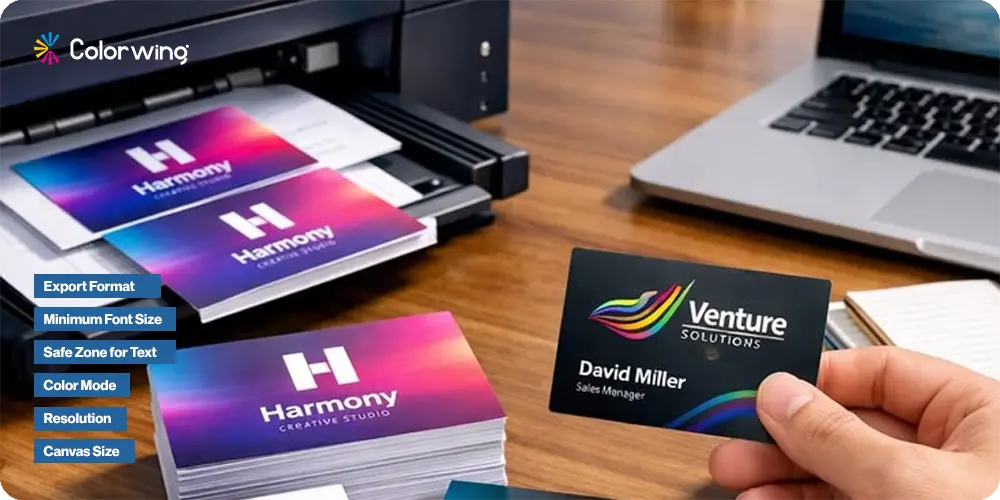
A design that looks perfect on screen can still print incorrectly if the file is not configured to print specifications.The business card dimensions matter in all aspects the same alike follows in printing. Here is what the file setup for business cards printing should include before you submit your artwork.
Canvas Size
Set your document to the full bleed size 3.75" × 2.25" for the US standard. Every background element should extend to this boundary.
Resolution
300 DPI minimum. For pixel-based dimensions, a 3.75" × 2.25" canvas at 300 DPI equals 1,125 × 675 pixels. Canva, Adobe Photoshop, and Illustrator all allow you to specify DPI at document creation.
Color Mode
CMYK, not RGB. Screen colors (RGB) do not translate precisely to printed output. Designing in CMYK from the start prevents color surprises particularly with deep blues, rich blacks, and saturated greens, which shift significantly in the conversion.
Safe Zone for Text
Keep all text and logos at least 3 mm (0.125") inside the trim line. For the US standard card, that means all critical content lives within a 3.25" × 1.75" centered rectangle.
Minimum Font Size
Anything below 7 pt risks becoming illegible at standard print resolution. 8–9 pt is the practical minimum for contact details. Avoid thin or hairline weights at small sizes they tend to fill in during printing.
Export Format
PDF/X-1a is the preferred export format for professional print submission. It flattens transparency, embeds fonts, and locks in CMYK color. JPEG at maximum quality is acceptable but not preferred. PNG exports from Canva work for many print runs, though PDF remains the safest choice.
Quick Setup Summary
Platform | Canvas Setting | Resolution | Color Mode |
Adobe Illustrator | 3.75" × 2.25" with 0.125" bleed marks | 300 DPI | CMYK |
Adobe Photoshop | 1,125 × 675 px document | 300 DPI | CMYK |
How to Choose the Right Business Card Size for Your Brand
Printing experts suggest being extra conscious before locking in a specific size, three main questions should drive your final decision.
Where will this card be stored?
Will it go in a wallet, a standard cardholder, or a badge sleeve? if any of those are the likely home for your card, the 3.5" × 2.0" US standard is the safe call. Unusual sizes often get bent or left behind because they just do not fit.
How much information does your card carry?
A single-sided card with a logo and contact info has plenty of room on a standard format. If you need to show multiple locations or a QR code, consider a folded card. You can also try a "two-card" strategy to give yourself more space without losing portability.
What does your brand personality communicate?
Rounded corners feel approachable, while an ultra-thick matte card signals a premium brand. A square card feels creative, and a standard rectangle says you are reliable. Every size and material choice sends a message to your customer.
The Two-Format Strategy: One Brand, Two Sizes
Many established brands get great results by pairing a standard business card with a second, functional format. This is called a complementary card strategy.
Common combinations include:
Standard business card 3.5" × 2.0" card gets paired with a slim 3.5" × 1.75" loyalty or appointment card.
Standard card pair with a square 2.5" × 2.5" card for creative or portfolio use
While the Double-sided standard card has branding on the front and a QR code or offer on the back. This approach lets you hand out the right card for the right moment. You can use a traditional card for formal meetings and a slim loyalty card at a retail counter, all while keeping your brand look consistent.
Complementary Card Size Strategy: One Brand, Two Formats
One approach that delivers strong results for established brands is the complementary card size strategy: pairing a full standard business card with a secondary format that serves a specific function. The foil business cards are predominantly getting popular among the masses too.
Common combinations include:
Standard 3.5" × 2.0" business card + slim 3.5" × 1.75" loyalty or appointment card
Standard business card + square 2.5" × 2.5" card for creative or portfolio use
Double-sided standard card (front: branding; back: QR code + offer)
This approach lets you hand off the right format in the right context. You use a traditional card for a formal meeting and a slim loyalty card at a retail counter. Strategize pertinently they can keep your brand materials coherent across all touchpoints. It ensures your branding remains consistent regardless of the physical size or shape of the card.
Utilizing a Complementary Card Size to Stand out Internationally
A card that matches the specific filing and storage habits of your international partners shows deep cultural respect and operational polish. Integrating a versatile complementary card size alongside your core assets allows you to maintain a unified, flawless corporate voice across every physical handshake worldwide.
For modern luxury operations and fast-scaling corporate entities, relying on a single physical format can limit your networking agility. This has driven the rise of a sophisticated dual-canvas approach. By pairing your primary corporate card with a distinct complementary card size, you instantly create multiple specialized touchpoints for different audiences.
For instance, your primary piece carries your essential executive identity, while a narrower, stylized variant acts as a premium packaging insert, a high-texture loyalty piece, or a dedicated media link. Furthermore, if your supply chain or customer base expands into international hubs, adapting your design files to a regional size for visiting card production or a traditional overseas name card size prevents embarrassing corporate friction.
How Big is a Business Card on screen? Getting Your layout Right
When deciding what size are business cards in terms of actual design execution, the challenge isn't the boundaries, it's how you control the negative space inside them. A typical business card size offers a highly restrictive field of view, meaning the human eye processes the information instantly as a single graphic composition rather than reading it line by line. This is where many layouts collapse; packing too much data onto a standard canvas disrupts the optical balance.
To command authority, a premium layout must leverage asymmetrical typography. Instead of centering every text line which crowds the margins and leaves awkward pockets of dead space, modern corporate templates utilize grid-aligned blocks. Grouping your name and title tightly in one quadrant while anchoring essential communication paths in another creates an invisible path for the recipient's eyes to follow. Mastering the spatial distribution within your required business card dimensions ensures your brand identity feels deliberate, spacious, and effortlessly high-end.
Setting up your Final Business Card Specs To Avoid Blurry Text
Behind every flawless physical handoff is a deep understanding of ink behavior on heavy paper stocks. When setting up digital artwork files based on specific business card specs, designers often forget how liquid ink interacts with raw paper fibers. If your layout features a rich, dark background with fine, white text knocked out of it, a manufacturing issue called "ink bleed" can occur.
On a tightly compressed canvas, the heavy background ink naturally migrates into the microscopic valleys of the paper, closing in on thin font styles and making critical details look blurry.
To preserve absolute legibility without altering your layout's overall footprint, you must adapt your typography to the physical printing process:
Font Weight and Tracking: Avoid ultra-thin or hairline typography for contact details. Instead, use medium or bold font weights and slightly increase the letter-spacing (tracking) to give the ink room to settle.
The Rich Black Formula: Never use a default digital black (100% K) for large background blocks on your canvas. Work with a balanced, rich black mix (such as 60% Cyan, 40% Magenta, 40% Yellow, and 100% Black) to achieve a deep, pristine finish that won't look washed out when the sheets are mechanically sliced down to the typical business card size.
Why ColorWing for Business Cards Printing?
Size and specs are the foundation. What you build on that foundation paper stock, finish, coating, and color precision is where a card becomes a brand asset rather than just a piece of paper.
At ColorWing, we handle business cards printing across the full format spectrum: standard rectangles, rounded corners, square cards, slim formats, folded designs, and die-cut custom shapes. Every order goes through a pre-press check that validates bleed dimensions, safe zone integrity, color mode, and resolution before anything goes to press. You get print-ready templates in inches, millimeters, and pixel dimensions for every format we offer.
If you are ready to print business cards that reflect the actual quality of your brand, get your custom quote at ColorWing today. Our team will confirm your dimensions, validate your file, and make sure your cards arrive looking exactly as they should: clean edges, accurate color, and a finish that tells the right story the moment someone picks one up.
Frequently Asked Questions
What is the standard business card size in the US?
The standard business card size in the US and Canada is 3.5" × 2.0" (88.9 × 50.8 mm, or 8.9 × 5.1 cm). At 300 DPI, this translates to a digital canvas of 1,050 × 600 pixels.
What size is a business card in millimeters?
For US standard cards: 88.9 × 50.8 mm. For UK and EU standards: 85 × 55 mm. For Japan: 91 × 55 mm.
What are the dimensions of a business card with bleed?
For a US standard card, the full file size including 0.125" bleed on all sides is 3.75" × 2.25" (95.25 × 57.15 mm, or 1,125 × 675 pixels at 300 DPI).
Is the size of a visiting card different from a business card?
No. "Visiting card" is the common term in South Asian markets. The size of a visiting card is the same as the local standard business card size, typically 3.5" × 2.0" or its millimeter equivalent.
Are business card measurements the same as credit card dimensions?
Very close but not identical. Standard credit card dimensions are 3.37" × 2.125" (85.6 × 54.0 mm). Business cards at 3.5" × 2.0" are slightly wider and slightly shorter, but both formats fit the same wallet card slots.
What is the standard square business card size?
Square business cards are most commonly 2.5" × 2.5" (63.5 × 63.5 mm). File setup with bleed: 2.75" × 2.75".
What is a "big card size" for business cards?
Oversized business cards typically run 3.65" × 2.25" or larger. Folded business cards open to approximately 3.5" × 4.0", giving the largest printable surface in a wallet-compatible format.
What DPI should business cards be?
300 DPI is the professional standard for business cards printing. Submitting files at 72 or 96 DPI (screen resolution) will produce cards with visibly soft or pixelated output.

Emily Chris Kieran
Meet Emily Chris Kieran, a seasoned packaging industry writer with 7+ years of experience in the printing and packaging sector based in Texas. With a keen eye for color and a passion for data-driven insights, Emily crafts compelling content strategies that explore the intricacies of packaging and printing. She possesses in-depth knowledge of the industry's dynamics, staying up-to-date on the latest trends and technologies. When she's not delving into industry trends, you can find her unwinding on the golf course, where she finds inspiration and clarity. With a love for polo and a knack for storytelling, Emily brings a unique perspective to the world of packaging, illuminating fascinating facts and trends that inform and engage.