

*2 mins read
What Does Collate Mean In Printing And Why Is It Important?
Publish Date
October 30, 2025
Written by
Emily Chris Kieran
What Does Collate Mean in Printing and Why Is It Important?
To define collate printing simply: it is the process of gathering individual pages into a complete, ready-to-use set. When you collate for printing, the machine treats each multi-page document as a single unit, ensuring that collating sheets results in a 1-2-3 sequence rather than a stack of identical 1s followed by a stack of 2s.
Printing a book or brochure involves a great deal of technicalities. It is important to pay attention to every detail. You can get more printed with ease if you understand the entire printing process, including all of its technical terms. There is, for example, a term that's commonly used to describe "collate print".
Many printing enthusiasts and beginners are curious about what collate is when it comes to printing. There is much to be said in this respect. We have put together this short guide to explain what collate in printing means. Let's get started to discuss how collated printing streamlines a printing project. A collated print depends on the preferences of the user and definitely each comes first like multiple copies of a multi-page document comes as a definition of collate copies meaning.
What does it mean to collate?
The process of collation printing is the printing of multiple copies in order. When you print a process in collation, for example, the printing is done correctly. It saves time and improves productivity. For convenience, it eases down the collection and assembling printed sheets of paper within a predetermined sequence.
Collation in Printing Collate comes from the term collection
Collation is the act of arranging and collecting printed materials in an orderly fashion. It is a popular method of printing that helps in the printing of books, magazines, catalogues and comics. Collating, for some reason, is optional. So when pressing print, check to see that collating has been selected in the options menu. You’ll find the “Collate” option under print settings, either within the application or software you’re using or in the printer control panel.
What is Collation?
Let's now explore the process of collation for any print project. Two different collating methods are involved. Collating process is even used for the large format printing needs which makes the procedure quite fast. Collate at some instances, ease down your brand.Let's explore these two methods.
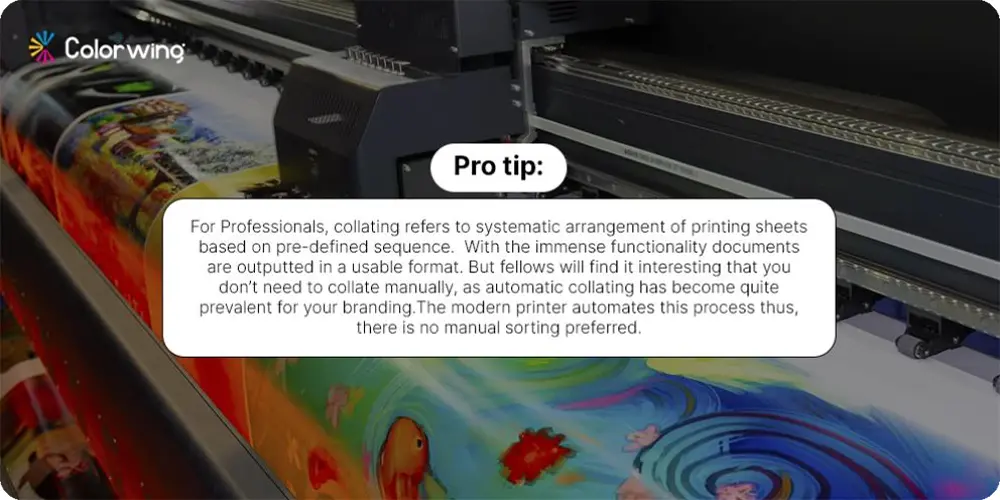
Precision Manual Collation & Kitting
For complex retail launches involving multiple components, our manual collation process ensures every element is sequenced with mathematical accuracy. This human-led verification is essential for premium projects; such as Foil Stamped stationary sets or multi-part luxury gift boxes where automated lines might risk scuffing delicate metallic finishes. We combine structural order with a final manual inspection to ensure your brand's first impression is flawless.
This process is very precise and requires accuracy in order to align all the elements correctly. Due to its precision, manual collation is often used with print documents (a set of complete copies) that have multiple editions or versions.
Automatic Collation
Software programs are used to automatically compare text. The tools used to collect printing data can be set up in a variety of ways. Software is available to accomplish this. It can examine different factors like font size, style, typeface and spacing in order to detect discrepancies. Automatic collation can be highly effective and save you time compared to manual collation. When you think of print collation it is an integral part to enliven your promotional products. When you are in the search what does it mean to collate on a printer? It is a process of automatically organizing the sheets assisting in efficient printing.
When Is Collate Printing Required?
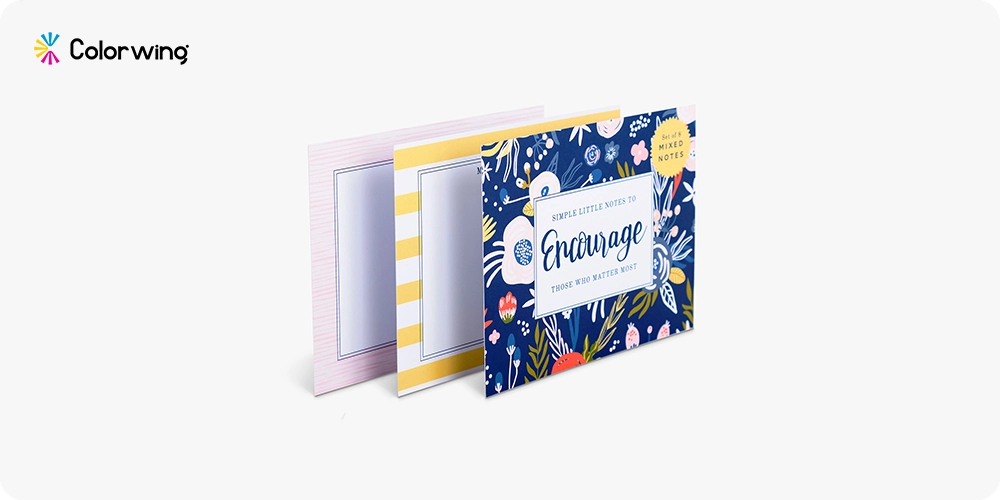
If you intend to give out individual sheets, rather than complete sets of papers, then non-collate printing is the best option. Non-collate printing may be the best option if you prefer to distribute individual copies of documents rather than a complete set. You can use this type of scenario at conferences, classrooms, trade shows or other office settings.
Collating printing can be helpful in certain situations. The printing process has been improved by the use of collate pages. You had to manually set the page order for a multi-page document. It used to be a time-consuming and laborious process.
Now if you ask what does collate mean on printer it is a process to make the advertisement items seamless. With collated printing you can now request several sets of the same multi-page document.
They will be sent to you in an ordered collated form. In the printing industry, this method is used to print comics, catalogues and booklets. All of these are print-collated versions. Without this terminology, it is impossible to imagine the time required for printing several copies of a document.
What is Collate? Highlighting Benefits
When we discuss collating, the process is followed when there is printing of multiple copies of multi-page documents. The printed design remains in sequential order for each copy.
It is easier to use collated printing once you understand what it means. Collated printing has many advantages. Due to the advantageousness of Collate, it has helped with rapid printing options. Collating definition shows it as the process of predominantly merging in the correct sequence.
Cost Savings
The use of collation for printing is a cost-saving method compared with older methods, as each page can be produced in fewer steps. This eliminates the need for manual sorting, organizing and arranging. It reduces labor costs by a significant amount.
Improved Quality
Automating collation using printing machines improves the accuracy and consistency of all the pages produced. It ensures that every page in a document, such as a book or magazine, is formatted correctly and positioned without any errors.
Rapid Production
Documents can be printed much more quickly with the collated print function than using traditional methods. This is because eliminating manual sorting takes a lot of time. Collation also reduces the number of reprinted pages, as the information is placed automatically. This is because it's not necessary to collect related information in each set of copies.
Easy of use
The collation function in the printing machine is very user-friendly. It allows even people who don't know the procedure to create high-quality, accurate documents.
Time-Saving
Automating the sorting of pages will streamline the distribution process.
When printing several copies, using the collate feature can save time and be more efficient. The printing process is streamlined by arranging the pages automatically in the right order. This eliminates manual sorting of each page. It is particularly useful for large printing jobs where collation can reduce assembly time. Collation is a tool that ensures each copy of a document will be complete, in order, and accurate.
Accuracy
This ensures each document set is in order and complete, minimising the chance of duplication or misplacement.
Reducing Errors
This eliminates the possibility of duplicate or missing pages. It not only eliminates mistakes, but it also creates a professional, polished presentation. This is especially useful for materials that are presented to clients or reports.
What is Non-Collate Printing? Showcasing Uncollated Benefits
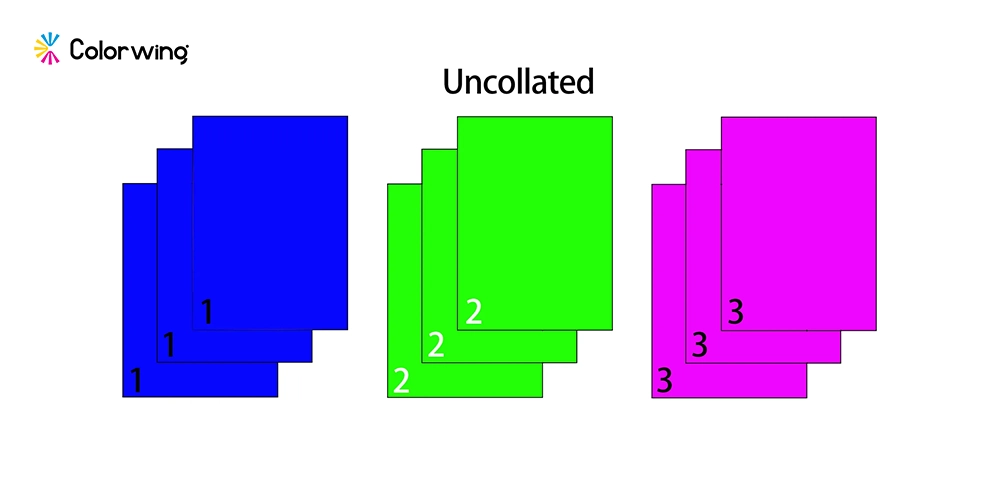
In industrial print manufacturing, non-collate printing (also known as "uncollated" or "offset stacking") is a process where the press prints all copies of a single page or component before moving to the next. Instead of sequential sets (1, 2, 3... 1, 2, 3), the output arrives in organized blocks (1-1-1, 2-2-2, 3-3-3). For Custom Boxes Wholesale and high-velocity retail, this is often the most efficient manufacturing path.
1. Maximum Press Velocity
Non-collate printing allows the press to maintain its maximum rated speed. Because the digital or offset engine does not have to "cycle" through multiple digital files or plate changes for every individual sheet, the mechanical output remains constant. This is the gold standard for maintaining accelerated production cycles.
2. Enhanced Color Consistency
When printing a massive "block" of the same design, the press operator can lock in the ink density and registration once. This ensures that the first box and the 10,000th box have the exact same Pantone-accurate color. In collated printing, slight shifts can occur as the machine jumps between different visual data points.
3. Streamlined Offline Finishing
Most specialized finishes that includes such as Die-Cutting, and the process of Embossing, or Matte Lamination are performed on high-speed industrial machines that require identical sheets. By printing non-collated, you provide the finishing department with a uniform stack that can be fed directly into the die-cutter without the need for manual sorting.
4. Significant Cost Reduction at Scale
Non-collated runs require less "RIP" (Raster Image Processor) time and lower mechanical overhead. For brands ordering Scalable Wholesale Options, choosing non-collate printing reduces the unit price because the labor involved in monitoring the sequence is eliminated at the press level.
What is The Best Time To Use Non-collated Printing?
Collation is not suitable for the printing of business cards. Prints like business cards should not be collated. While the custom flyers or booklets multiple pages can be collated for convenience purposes.
Collate vs Non-Collate: Which Should You Choose?
Understanding the collate meaning in printing is easiest when compared to its opposite. In a collate vs non-collate scenario, "Collated" means your printer outputs sets (1, 2, 3... 1, 2, 3), while "Non-Collated" (or uncollated) groups identical pages together (1, 1, 1... 2, 2, 2). This collate print meaning is vital for high-volume jobs; choosing the wrong one can lead to hours of manual sorting.
It Depends On Individual Needs
Collate printing is not always the best option. It depends on your intended use and how your digital files are set up. It is ultimately up to you whether collated or not collated printing will be beneficial for your project. In the following scenarios, you may want to turn off collation in your printer's settings.
Printing business cards is for several people. Collate printing is not the most efficient way to print a file that contains the design for several business cards. Each card will be on one page. In this situation, non-collate print may be the best option as you can print multiple copies of every person's cards before moving on to the next. It will be easier to cut the cards, and organize them. The same method can be used to print coupons.
Printing multiple versions of the form. If you're printing several versions of a form and saving them all in one file, it is unlikely that you want to collate your documents. You will most likely create a stack of paper for each form and allow people to pick the one that is applicable.
Latest Printing Technologies
The latest packaging printers come with automated collation technologies, from the Videojet to AutoBag many have increased productivity. These systems often combine printing like inline printing and automated handling. Like Heidelberg Speedmaster XL 106, Manroland R708 AND KBA Rapida 106 offset technologies tackle printing tasks efficiently. As the offset AKA Lithographic printing also remains an essential service for printers.
The prevalence of multiple copies of several flyers and brochures in a sequential way is called collate organizing. When it is about collate vs grouping it prints all identical documents together first. While grouping is quite an efficient choice for single-page items when recipients will get versions from different versions of the same page. With the printer option, collate the process is streamlined; before that it was not worth it.
What is the role of memory in printers in collation?
It is important to have a printer with memory, particularly when you are printing several copies of the same document. The printer's memory stores all the data of the document, which allows it to print and organize each page correctly. When collating 20 pages of a report, for example, the memory in the printer holds the page order, which allows it to print each copy sequentially. It is especially useful for printing large and complex jobs. A printer with a lot of memory will be able to handle the task more efficiently.
When searching for what does collate on a printer mean?, you are essentially looking at the collation printer logic. A modern collate meaning printer relies on internal RAM to "remember" the entire document sequence. If your collate in printer setting is toggled on, the hardware stores the data for all pages before starting the first set, ensuring collated printing meaning is upheld even for 100+ page manuals.
The Collated Printing Showcase
Printing booklets is great for promotional material, event manuals or other materials that need a clean page layout.
Catalog printing keeps product details organized for seamless browsing experiences.
The use of book printing (Hardcover & Paperback) allows for smooth publication progression, such as novels and coffee-table books.
Comic Book Printing with Collation maintains your story's pace and impact, which are also important for publications such as graphic novels.
With collated pages, you can achieve a consistent layout for articles, advertisements, and features.
Uncollated printing vs. Collated printing
In collated printing, pages are sequentially arranged into sets that can be bound. Uncollated Printing, on the other hand, means that identical pages can be grouped, which is ideal for one-page printing like posters or flyers. Collated printing is best for projects that require a certain order of pages. Uncollated printouts are better for materials like flyers or posters.
Manual Collation vs Automatic Collation
Sorting by hand is called manual collation. This process, while precise and time-consuming, is better for smaller print runs. Automatic collation, on the other hand, uses digital collation, which is handled by modern printers such as ColorWing, to organize pages within seconds. The procedure reduces errors in sorting and increases efficiency for large print jobs. At ColorWing, our preference is providing top-notch results using top-of-the-line cutting edge printer machines.
Get free design assistance when you order top-quality printing:
Our professionals can help you with printing and design. You will also get free shipping in the USA. Want to improve your custom packaging and printing? Just started a business? You can always count on us to help you. Contact us now as ColorWing is the best bet for all design assistance to printing and promotional creations uplifted.
How to Collate Effectively
View the Preview before Printing:
Print preview allows you to check the order before printing.
Test Print:
Test a few copies before printing the entire batch to make sure everything works.
Paper Types:
Check that your printer is capable of handling different sizes or types of paper in your documents.
Does collated mean double?
No, it doesn't mean double-sided. Double-sided and collated are two different things.
One common point of confusion is: does collated mean double-sided? The answer is no. While collate printing refers to the order of the pages in a stack, double-sided (duplex) printing refers to whether ink is applied to both sides of a single sheet. You can have a collated printing job that is either single-sided or double-sided, depending on your specific layout needs.
Why should I collate when printing multiple copies?
You should collate for printing to eliminate manual labor. If you are producing a 50-page report for 10 people, a collated print ensures you have 10 finished sets ready for binding. Without this, you would have 50 separate stacks that require hours of hand-sorting, increasing the risk of missing or duplicated pages.
What does "collate sheets" mean in a professional bindery?
In professional settings like ColorWing, collating sheets refers to the mechanical assembly of signatures or pages using a collating machine. This high-speed hardware uses sensors to ensure the collating definition—the systematic merging in the correct sequence—is met with 100% accuracy before the document is stapled, glued, or bound.
How is collation used in packaging?
In packaging, collation is the systematic grouping of different components—such as a product, its user manual, and its warranty card—into a single, organized unit. Unlike simple document printing, packaging collation often involves "marrying" printed materials with physical goods on a high-speed production line.
What is the best time to use collate printing for?
When we need to print multiple copies of large documents, such as booklets, presentations, or reports, collated printing is the best option.
Should I Collate When Printing?
Yes, you should collate when printing multiple copies of any multi-page document to ensure each copy is in the correct page order, saving time and preventing the need for manual sorting. This is essential for reports, presentations, and manuals, as it guarantees each set is complete and professional
Does it perform better than manual collating?
It is efficient and saves time. Manual collating is not only time-consuming but also inaccurate.
Final Thoughts
You can ensure that your pages are in order by printing with the collate setting. This option is available on all multifunction printers; the pages will be printed in correct order.
If the option to collate is selected, the number of pages will be limited. Collating is a good idea; it is better to do this during the printing process than manually. It is also possible to order your retail packaging with 100% accuracy in terms of the symmetry between each manual and each box. Acquire top-of-the-line printing by the experts of ColorWing, as we will help you with instant design help. From the high-quality print of box inserts, we ensure that the packaging project is smooth.

Emily Chris Kieran
Meet Emily Chris Kieran, a seasoned packaging industry writer with 7+ years of experience in the printing and packaging sector based in Texas. With a keen eye for color and a passion for data-driven insights, Emily crafts compelling content strategies that explore the intricacies of packaging and printing. She possesses in-depth knowledge of the industry's dynamics, staying up-to-date on the latest trends and technologies. When she's not delving into industry trends, you can find her unwinding on the golf course, where she finds inspiration and clarity. With a love for polo and a knack for storytelling, Emily brings a unique perspective to the world of packaging, illuminating fascinating facts and trends that inform and engage.